You can change the language in the app just by changing the language on your iOS device.
1. Open device Settings.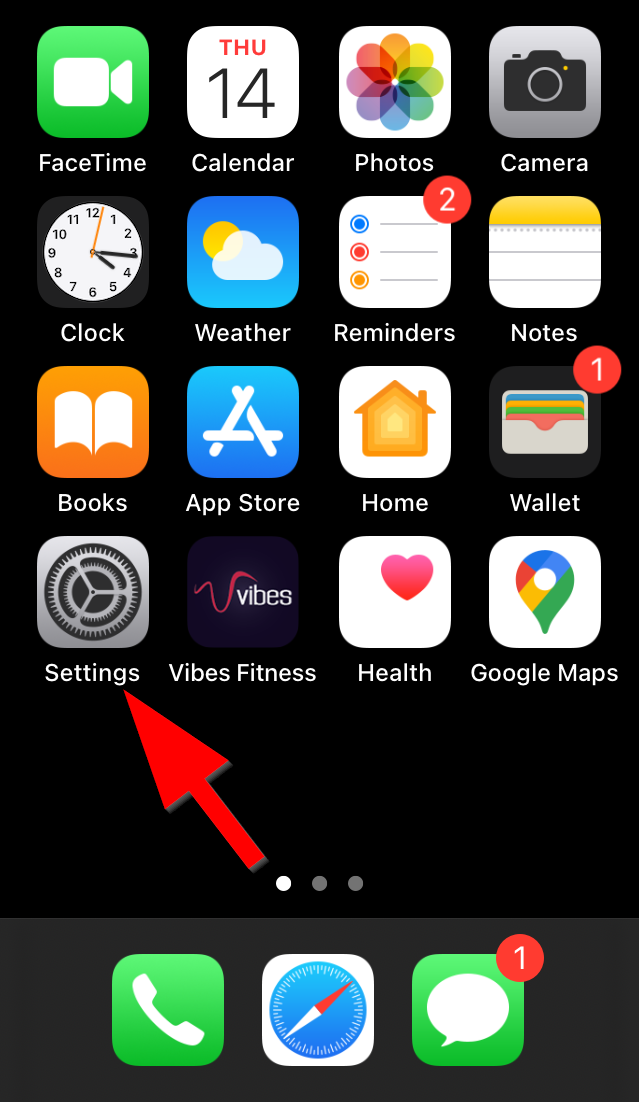
2. Tap General.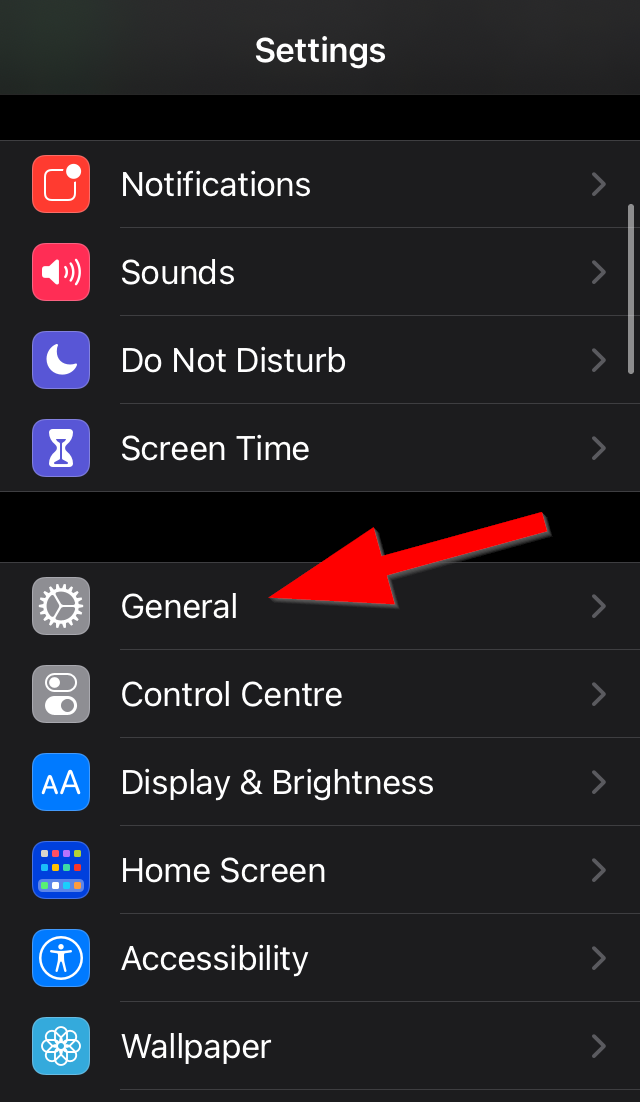
3. Tap Language and Region.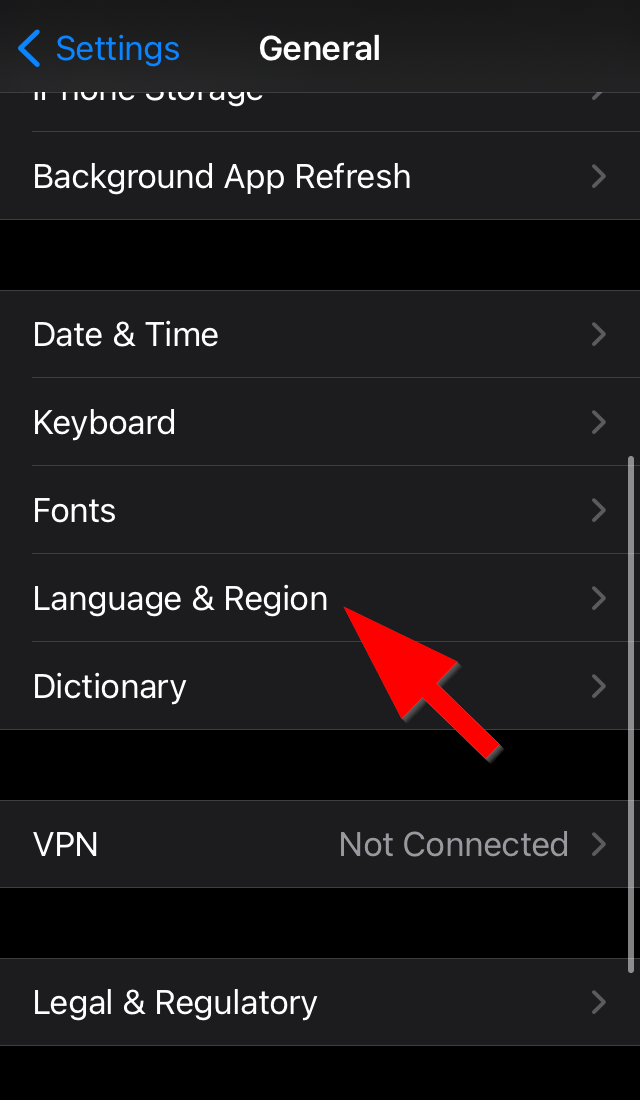
4. Tap iPad/iPhone Language.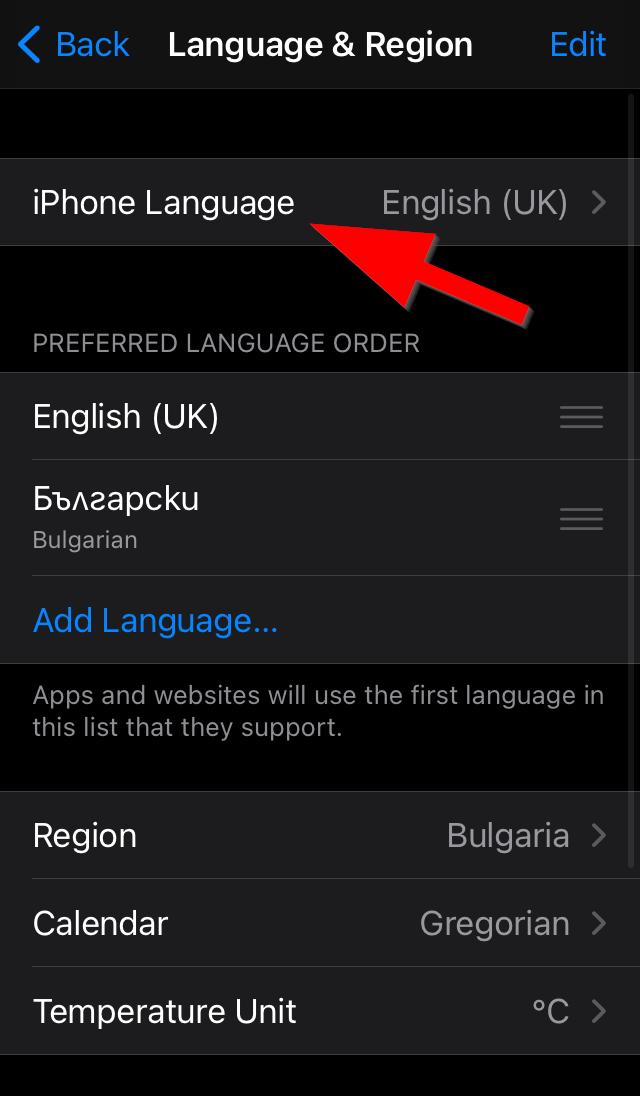
5. Tap a language to activate it.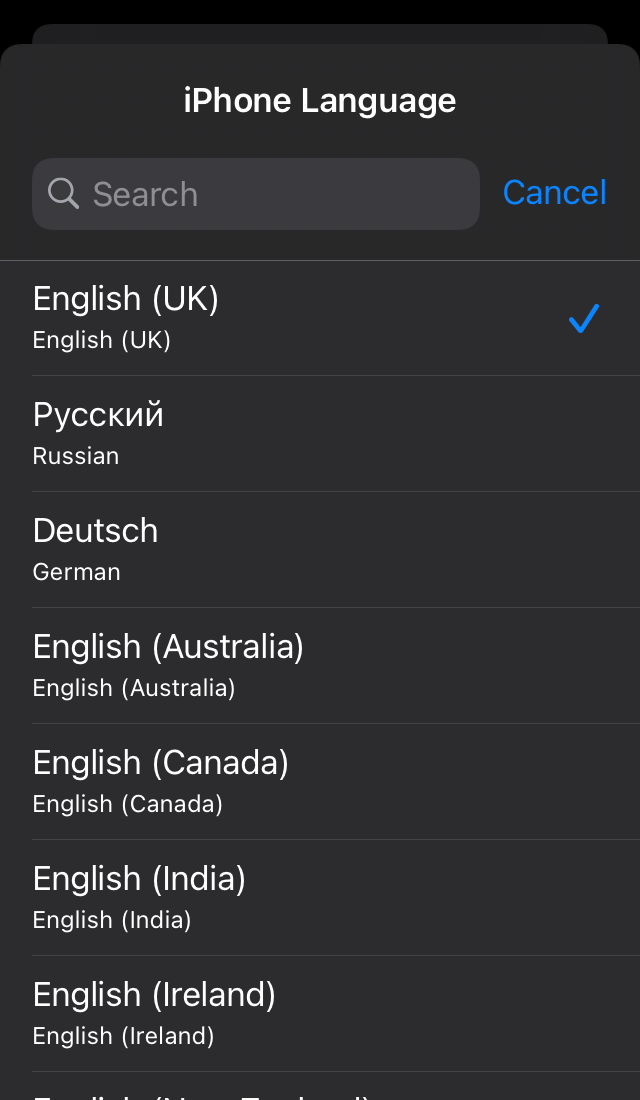
6. Confirm.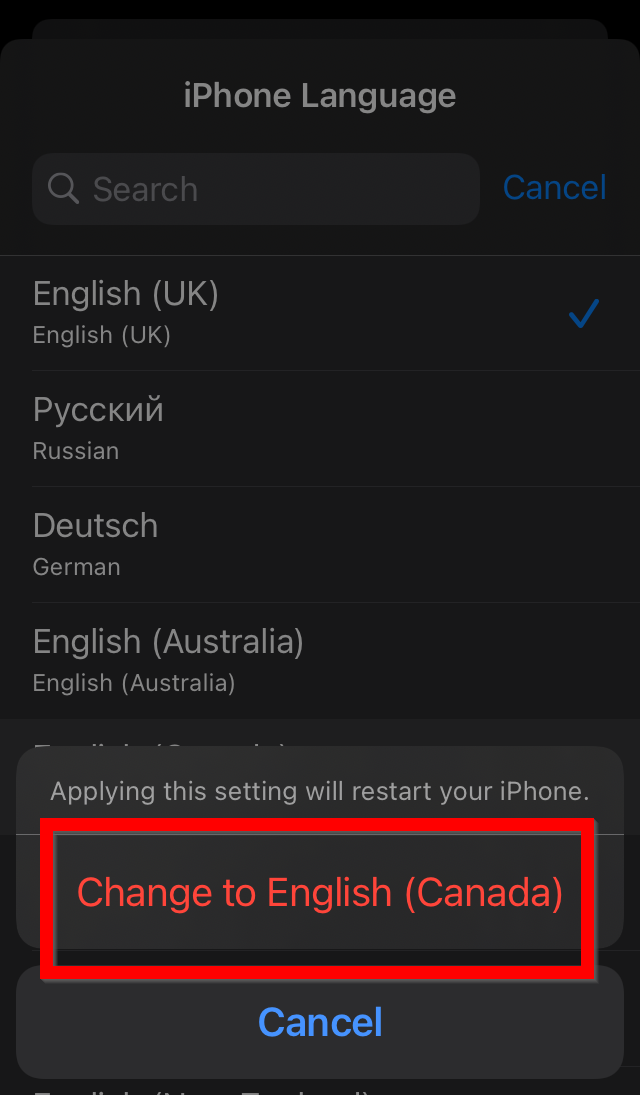
You can change the language in the app just by changing the language on your iOS device.
1. Open device Settings.
2. Tap General.
3. Tap Language and Region.
4. Tap iPad/iPhone Language.
5. Tap a language to activate it.
6. Confirm.