How to Restore on Android
If you purchased the Premium license through a one-time in-app payment, follow these steps to activate it:
- Open your device settings and go to Accounts > Google Account. Make sure only the Google account used for the purchase is listed, and uninstall the free version of the app if it's currently installed.
- Open the Play Store app using the same Google account and tap your profile icon.
- Select Manage apps and device.
- Tap on Manage.
- Tap on Installed to open a dropdown menu.
- Select Not installed.
- Find the app, then tap the checkbox next to it.
- Tap the Download icon in the top-right corner to reinstall it.
If you acquired the Premium license via an in-app subscription payment:
- Open the Google Play Store on your Android device.
- Ensure you're signed in to the correct Google Account.
- Tap your profile icon.
- Go to Payments & Subscriptions > Subscriptions.
- Select the subscription you want to restart.
- Follow the on-screen instructions to complete the process.
If you purchased the Premium Dictionary from the MobiSystems website:
- Install the free version of your dictionary app.
- Launch the app and go to Settings.
- Tap on Redeem Code.
- Enter or paste your 13-digit MobiSystems activation key.
If you purchased a Premium license via Huawei App Gallery:
- Uninstall the current version of the dictionary app.
- Ensure you're signed in to the Huawei App Gallery with the correct account.
- Sign out and sign in again to refresh your session.
- Re-download the app — your purchase should be recognized automatically.
Note: If you are using multiple accounts on your device, the Premium license may not restore correctly. Make sure that only the purchasing account is active in the Play Store.
How to Restore on iOS
If you have reinstalled the app on the same device, follow these steps to manually restore your Premium access:
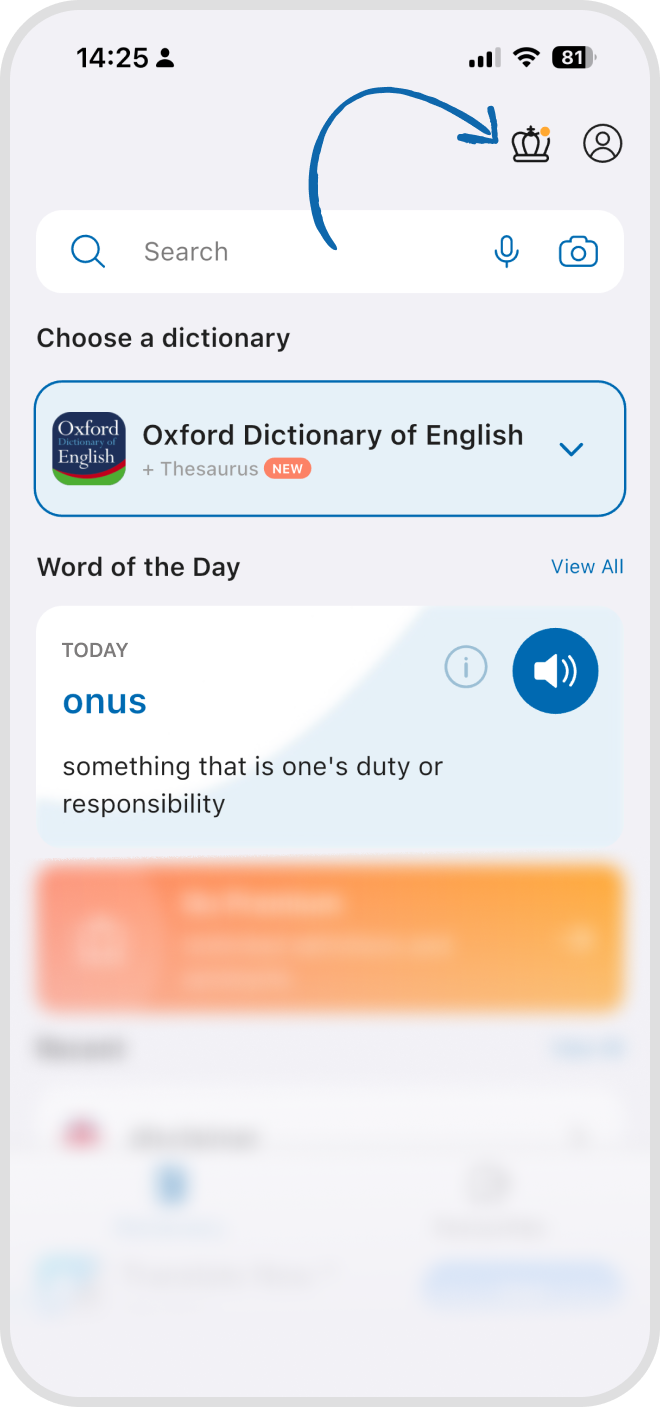
Step 1: Open the app and tap the Crown icon.
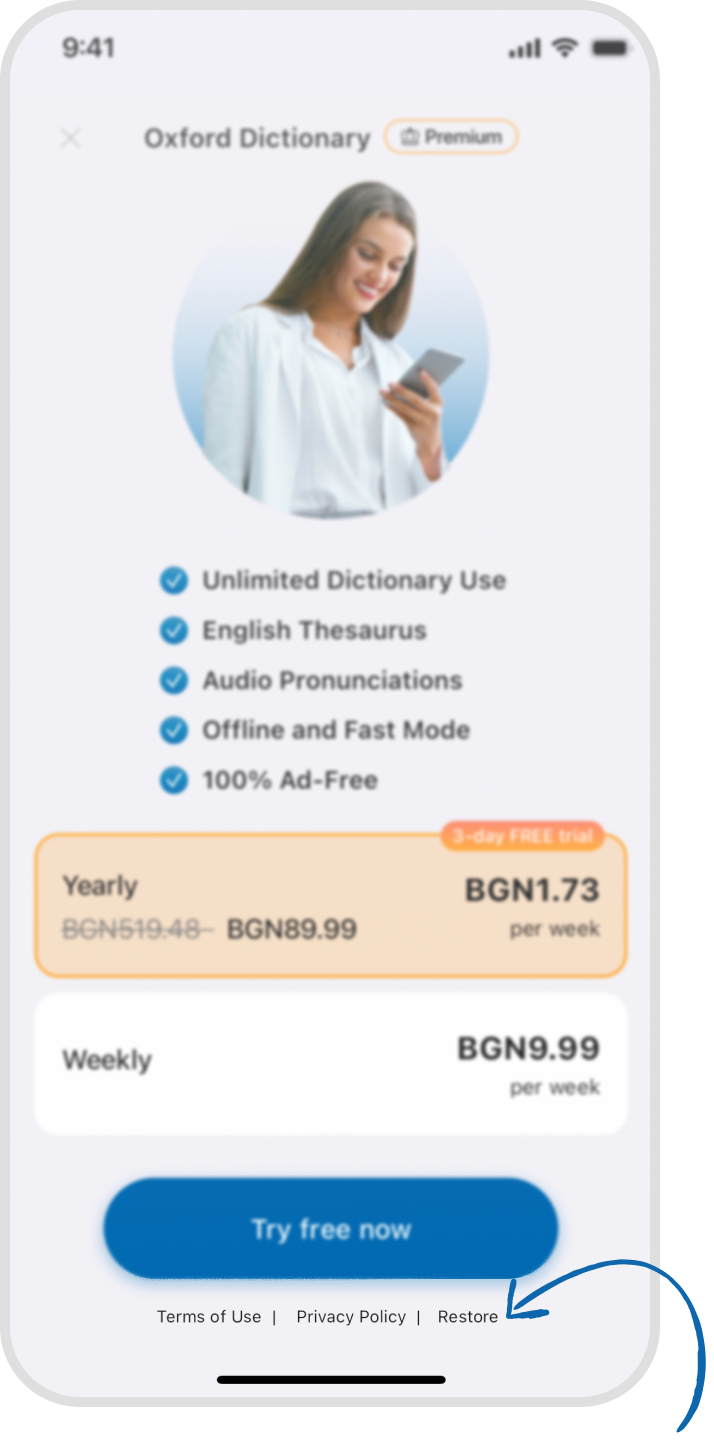
Step 2: On the Go Premium screen, tap Restore Purchases in the bottom right.
If you’ve changed devices and the app isn’t installed yet:
Step 1: Open the Apple App Store and search for the app. Make sure you're signed in with the Apple ID used for the original purchase.
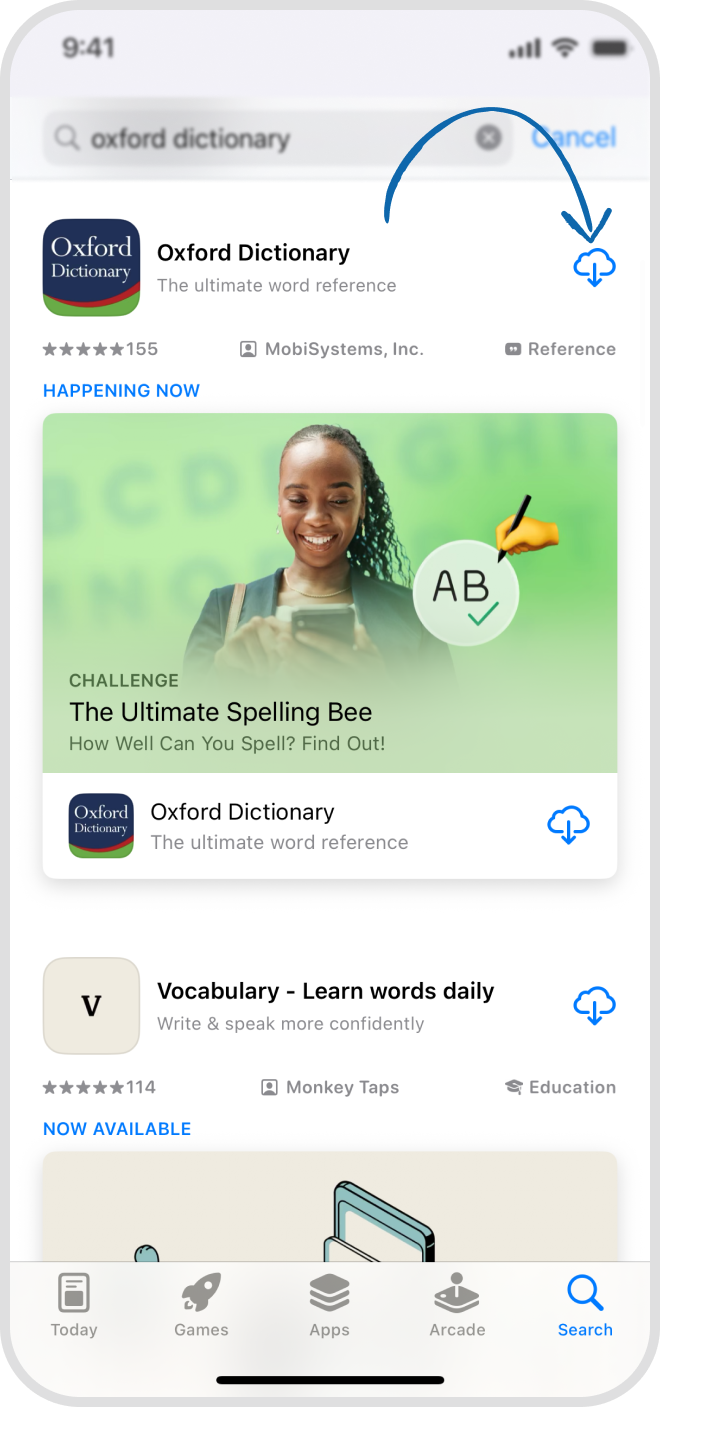
Step 2: Tap the Download icon to install the app.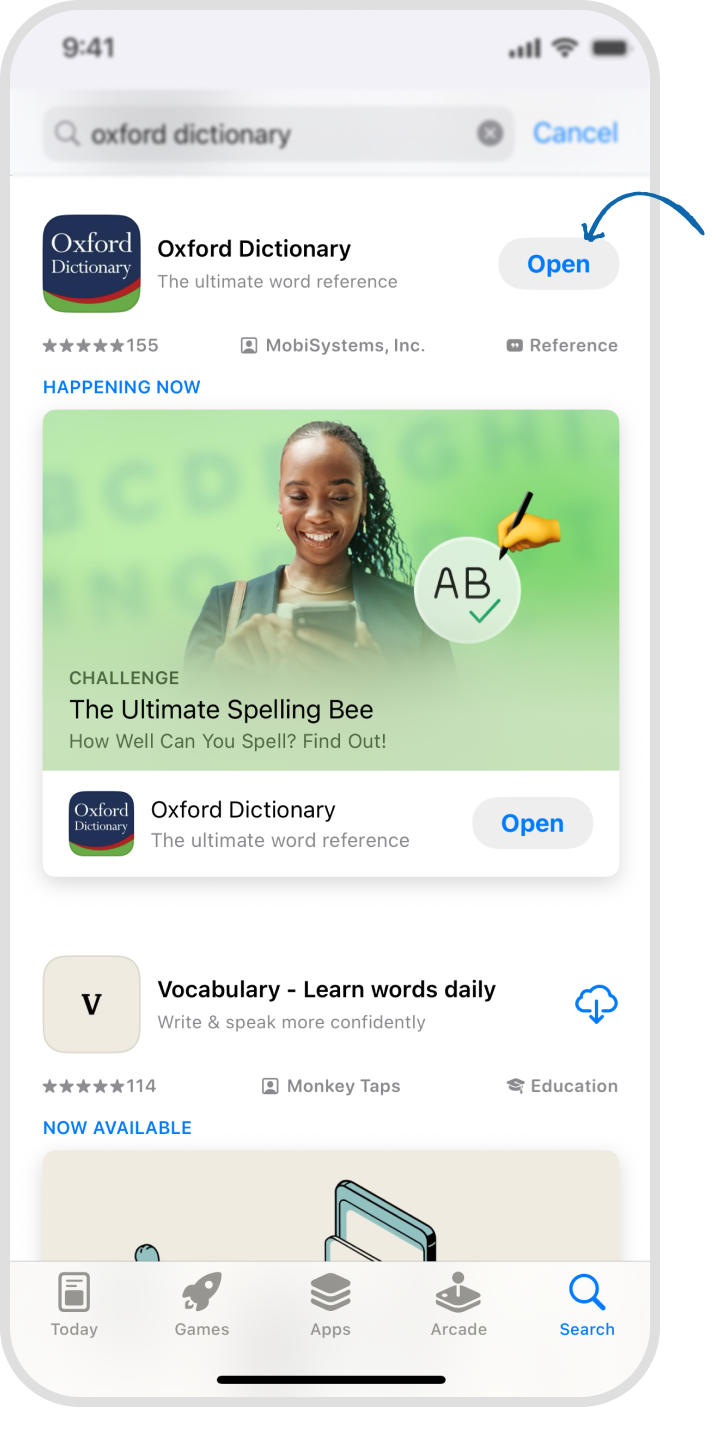
Once installed, tap Open. Your Premium license should activate automatically.