In this article, we'll guide you through the simple steps to change the font in MobiDocs.
1. Open your MobiOffice document.
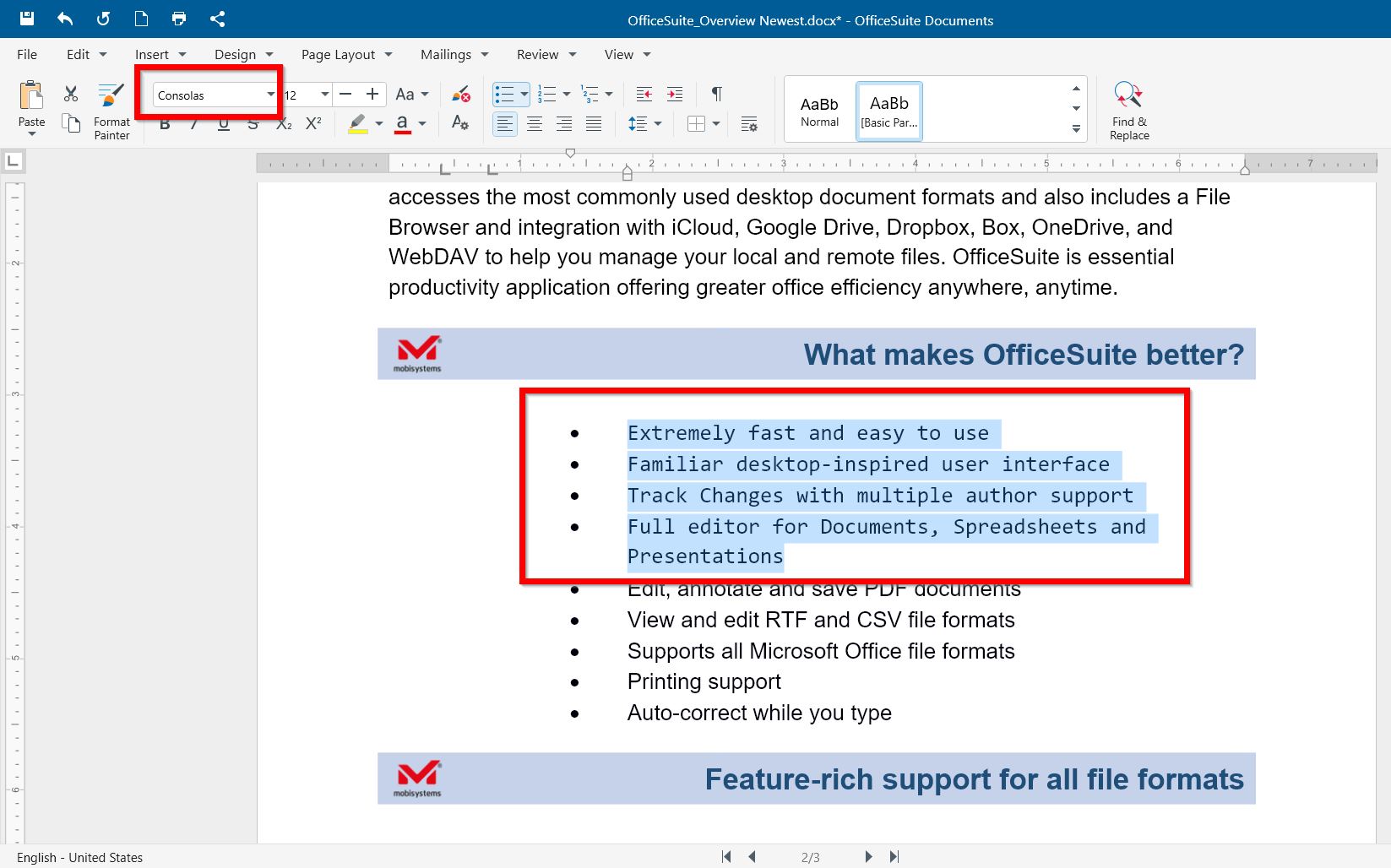
2. Left-click and drag to select the text you want to change, or press Ctrl+A to select the entire document.
3. Right-click the selected text and choose Font.
4. Select the font type, color, size, and other options from the box. Click OK.
Alternatively, select the text, click the fonts dropdown menu, and choose a font.
We hope this article has helped you learn how to change fonts in MobiDocs. By using different fonts, you can make your documents more visually appealing and tailored to your style.