Open a Document file on your Windows device and follow these steps:
1. Place the cursor where you want one page to end and the next to begin.
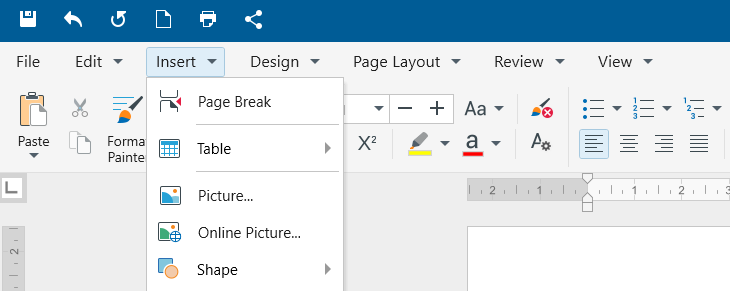
2. Click Insert, click Page break, or press CTRL+Return.
Open a Document file on your Windows device and follow these steps:
1. Place the cursor where you want one page to end and the next to begin.
2. Click Insert, click Page break, or press CTRL+Return.