Import a .pst file to MobiMail
Importing a .pst file can help you restore Outlook data from a backup, transfer your data to a new computer, or merge your data from different accounts to your MobiMail account. To import a .pst file to MobiMail, follow these steps:
1. Open MobiMail and click on the File tab.
2. Click on Import.
3. Select Outlook Data File.
4. Browse to the file you want, and click Open.
Note: A .pst file is a backup file that contains your Outlook email, contacts, and calendar. Outlook copies your email to the .pst file, including any attachments. When you import a .pst file, you will see your attachments as well.
Outlook does not copy some information to the .pst file, such as folder settings, message rules, and blocked senders lists. Therefore, these information will not be imported either.
Importing a .pst file does not affect your original data in Outlook. You can still access your email, contacts, and calendar in Outlook as usual.
Import Contacts to MobiMail
1. Open MobiMail and click on the File tab.
2. Click Import.
3. Select Contacts as vCard (.vcf). Browse and select the .vcf files/vCard with contacts from your device you want to import to your Address book and confirm with OK.
4. Select the Address book you want to import the files to and confirm with Import.
Note: You can only import contacts in an iCard (.vcf) format. vCard maintains a more consistent structure for contact details, making it easier to import and export contacts between different email clients without losing information or encountering errors. CSV files, while flexible, may not have a standard structure and can lead to mismatches or missing data when imported into some clients.
Import iCalendar (.ics) to MobiMail
1. Open MobiMail and click on the File tab.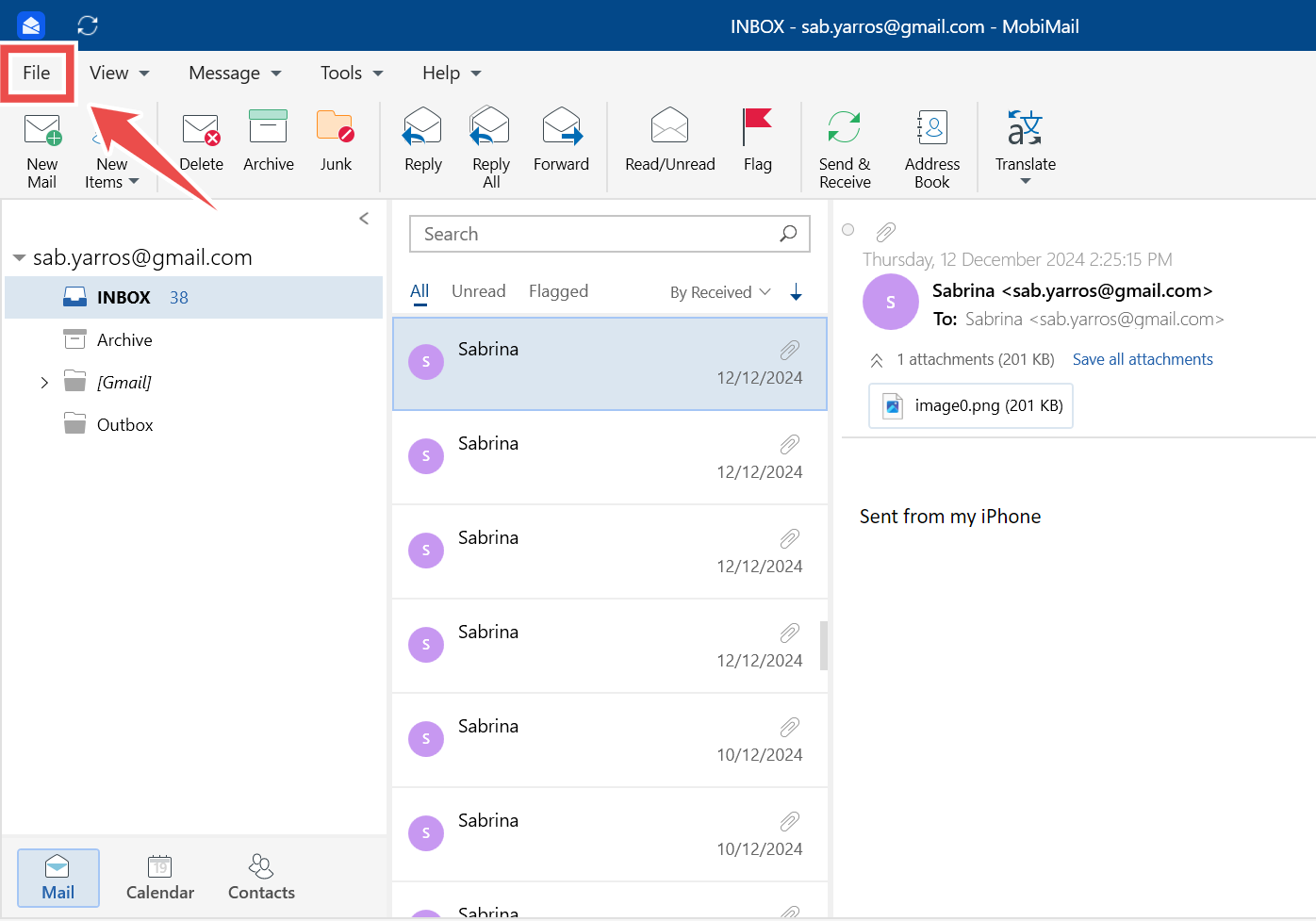
2. Click Import.
3. Select iCalendar (.ics).
4. Browse to the file you want, and click Open.
MobiMail offers a seamless and efficient way to import various types of Outlook data, including .pst, .ost, .vcf, and .ics files. Whether you're managing emails, contacts, or calendar events, MobiMail ensures that transferring and organizing your Outlook information is both simple and reliable.