Hide or unhide sheet from view Android
To hide a sheet:
-
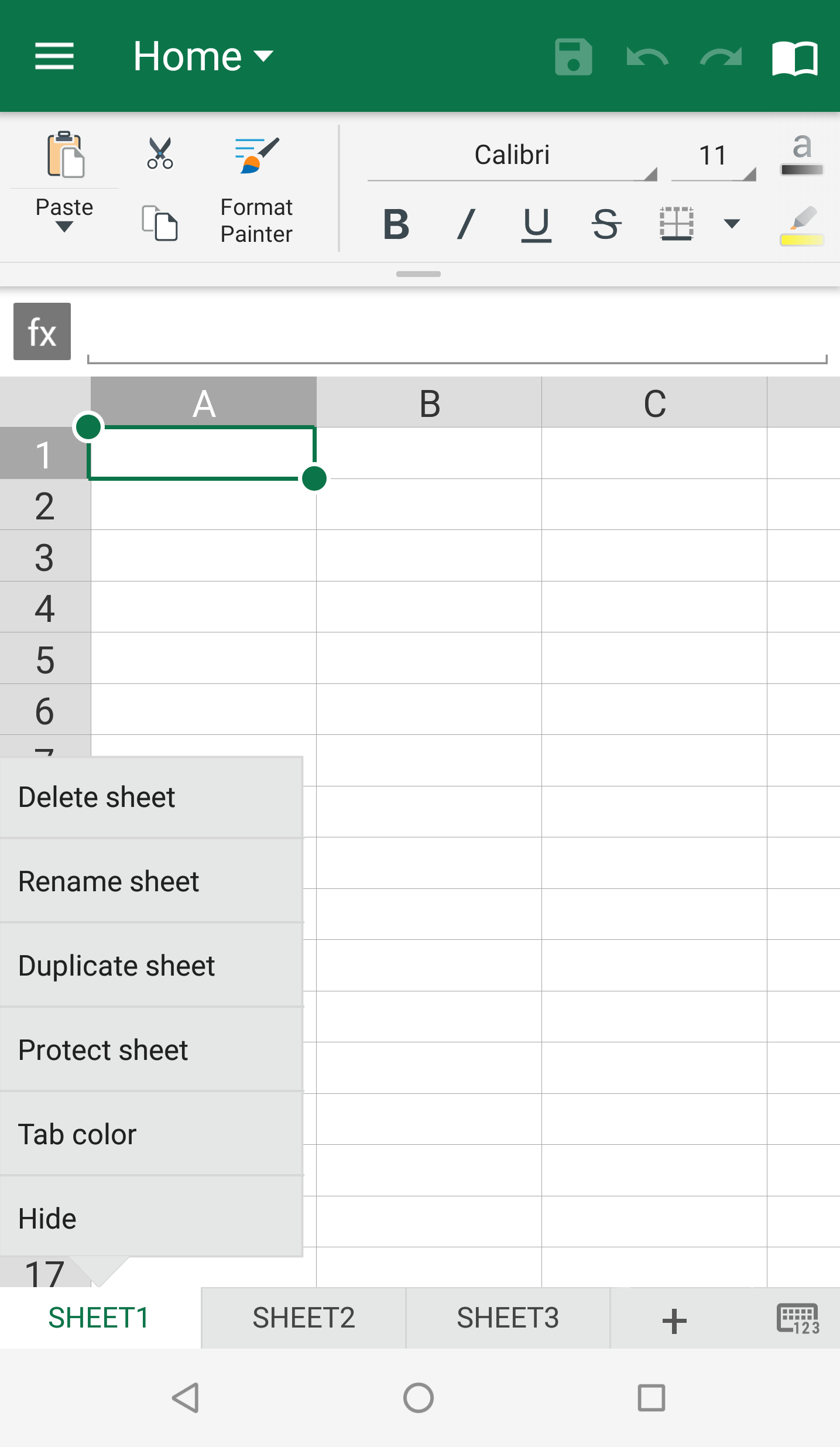
Tap the sheet you want to hide.
-
On the sheet tab, tap Hide. This option will not show if your spreadsheet does not contain two or more sheets.
-
Your sheet will be hidden from view.
To unhide a sheet:
-
On the sheet tab, tap Unhide. This option will not show if your spreadsheet does not contain one or more hidden sheets.
-
Tap the the sheet you no longer want hidden.
- Your sheet will appear at the bottom of your spreadsheet.
 |
 |