1. Right-click in a table cell. On the menu, click Delete.
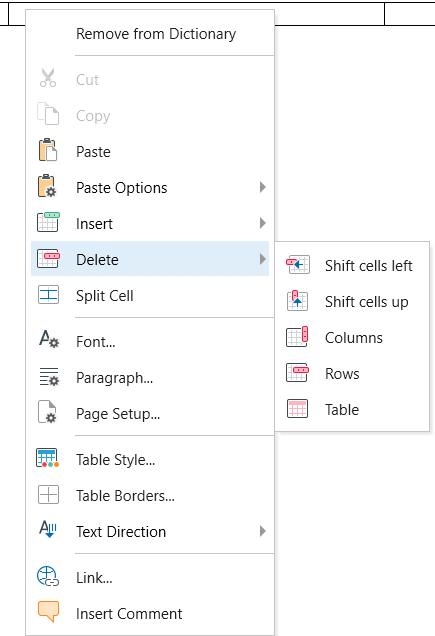
2. Click what you want to delete:
- To delete one cell, choose Shift cells left or Shift cells up.
- To delete the selected rows, click Rows.
- To delete the selected column, click Columns.
- To delete the table, click Table.