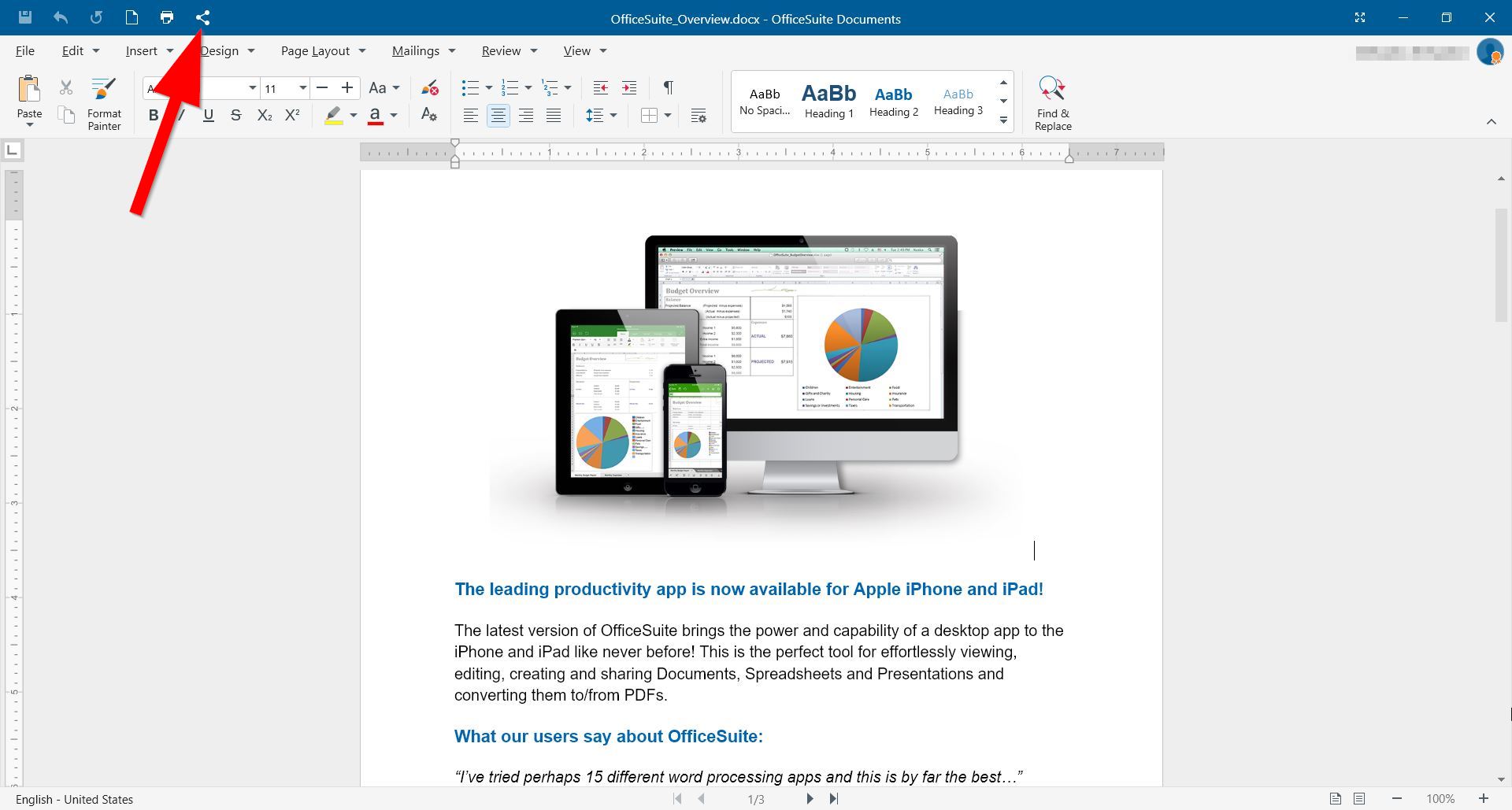
1. Open OfficeSuite Documents and click the Share icon.
2. Click a sharing option
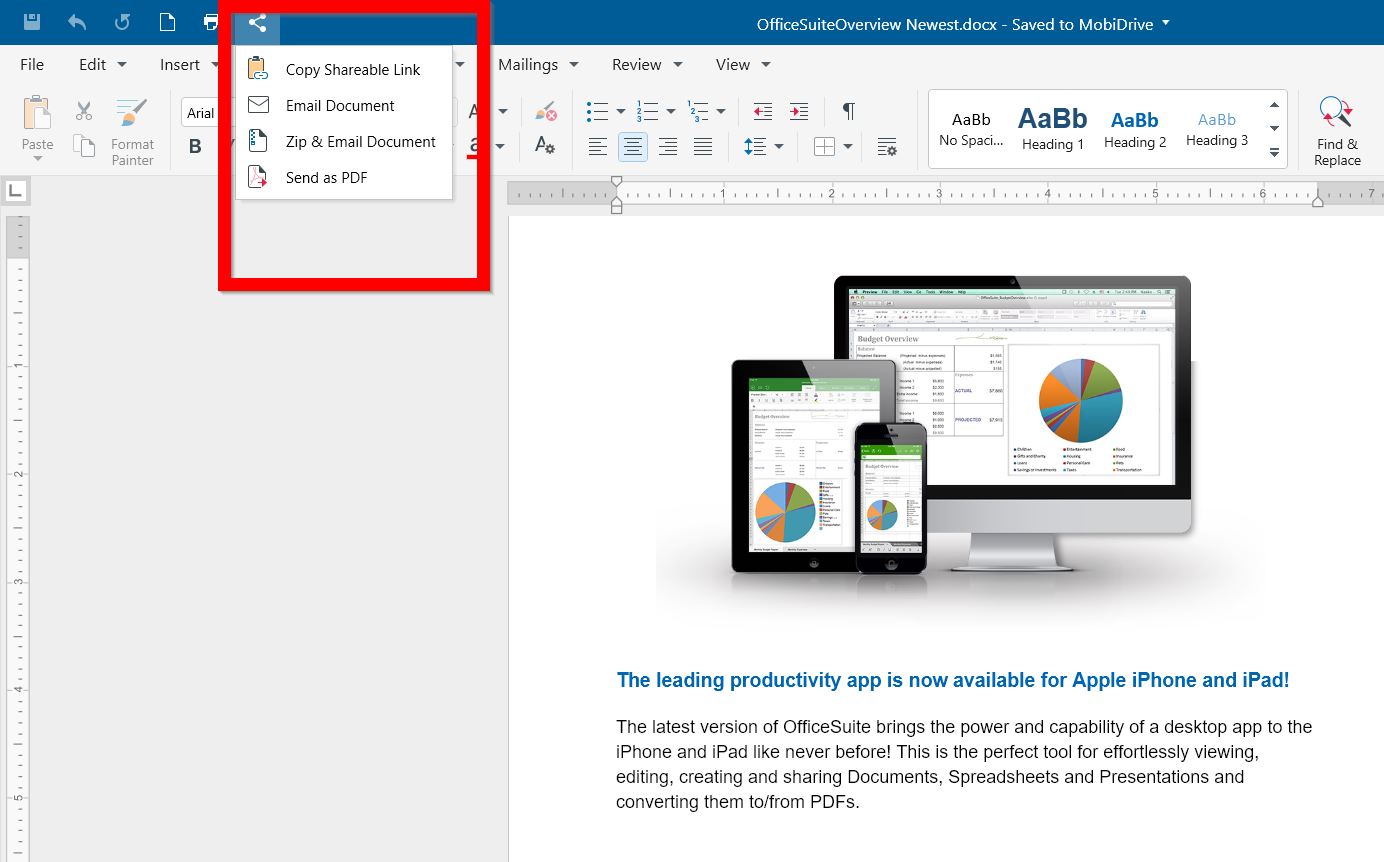
Copy sharable link: Copy the document's link and (paste) share it wherever you want (You will be asked to save the document in your MobiDrive first).
Email Document: Use the mailing client available on your Windows PC to send the file. (By default, OfficeSuite will open Mail for you to share the document).
Zip & Email Document: Archive the document and share it using a mailing client. (By default, OfficeSuite will zip the file and open Mail for you to share it).
Send as PDF: Convert the document to PDF and share it using a mailing client. (By default, OfficeSuite will open Mail for you to share the document as PDF).
*You can find an alternative way of sharing documents here.