1. Right-click in a cell, click Insert.
2. To add rows, click Rows Above or Rows Below and to add columns, click Columns Left or Columns Right.
Note: To add a row at the end of a table, click the last cell of the last row, then press the TAB key.
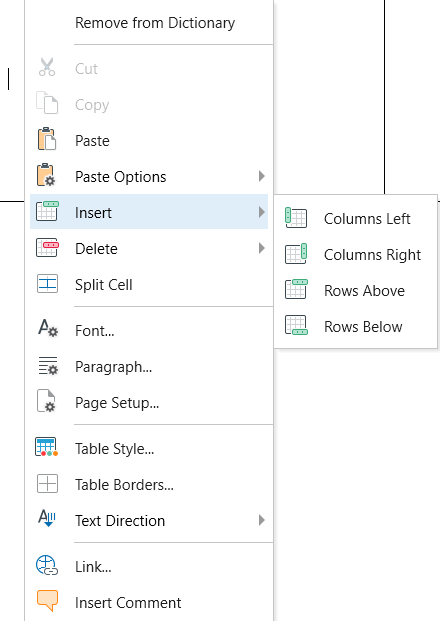
1. Right-click in a cell, click Insert.
2. To add rows, click Rows Above or Rows Below and to add columns, click Columns Left or Columns Right.