You can add a background color to your document using the Page Color button.
1. On the Design tab, click Page color.
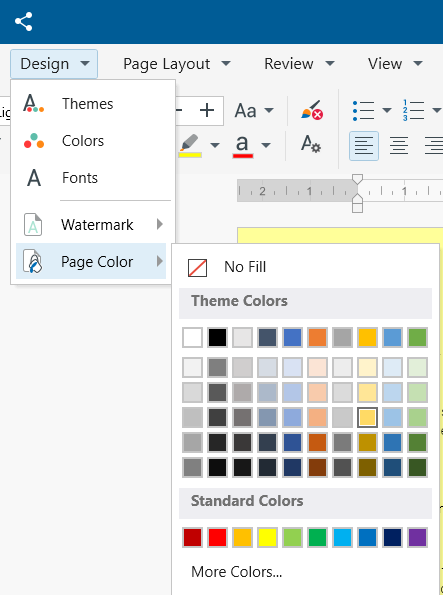
2. Choose the color you want under Theme Colors or Standard Colors.
- If you don't see the color you want, select More Colors, and then choose a color from the Color picker. Note that you can enter a specific color RGB, HCV, HCL, or CMYK code. On the Colors picker, choose Custom.
To remove a background color
1. Go to Design, Page color.
2. Select No Fill.